
Have you ever wondered why some movie trailers grab your attention right away while others just fall flat? A great trailer is like creating a tiny work of art, giving you a sneak peek of the story, sparking excitement, and leaving you itching for more.
In this guide, I'll share some easy steps to help you put together a trailer that captures all the magic of your film. By mixing creative vision with smart editing tips, you can bring your cinematic story to life in a way that really resonates.
So, are you ready to spark your creativity and dive into the world of movie trailers? Let's get started!
Step-by-Step Guide to Making Movie Trailers
Let’s dive right in. Start by imagining the feel of your trailer. A movie trailer is like a mini-movie, it gives you a glimpse of the story, the creative energy, and the big reveal of the release date without spilling all the secrets. Think of it as a teaser that leaves you hungry for more, like a taste of an epic adventure.
Next, gather your essentials. You’ll need raw film footage, scenes that set the right mood without giving away too much of the plot, and some solid editing software or handy templates to work with. Most theatrical trailers run between 90 and 150 seconds, while teaser trailers might just be 30 to 90 seconds long. And if you’re dealing with TV spots, they can be as short as 15 to 60 seconds, though around 2.5 minutes is pretty common.
Now, here’s a simple blueprint to follow: plan your trailer in three parts, intro, a build-up of tension, and then a satisfying payoff. Choose clips that set the vibe and keep the rhythm engaging. Play with misdirection by tweaking dialogue or visuals to spark mystery and keep your audience curious.
Then, start cutting your rough draft by placing your best clips in order. Test the pacing and make sure everything flows naturally. Once you’re happy with your structure, refine your edits to smooth out the transitions and keep the energy high. Each scene should feel like a step closer to the big reveal, making your audience want to see the full film.
Enjoy the process and let your creative spirit shine.
Planning Your Trailer: Scriptwriting and Storyboard Tips for Movie Trailers

Start by jotting down a solid script with a clear three-part plan: set up the story, build some tension, and deliver a payoff. In just about 60 to 90 seconds, your script should introduce the characters, drop a hint of the conflict, and promise a resolution. Imagine that famous "in a world…" voice that instantly pulls you into the movie’s vibe. Maybe try something like, "In a world ruled by chaos, one hero stands strong," to really grab your audience.
Next, grab some paper or your favorite drawing tool and plan out your storyboard. Think of it as your visual roadmap where each panel is like a mini comic. Draw the setting, tease a bit of danger, and build up to the big climax. If you have access to AI tools, they can even help you auto-generate shot lists and layouts, saving you some precious time. Picture a panel showing a tense face-off, then flip the mood to an exciting burst of action.
With your script and storyboard in hand, you’ve got a plan that mixes a great story with eye-catching visuals. This blueprint will spark excitement and leave viewers eager to see more.
Selecting and Sequencing Footage in Movie Trailer Creation
Start by digging through your film clips with a clear idea of the mood you want to capture. Pick shots that show off your movie's vibe without spilling all the secrets. For instance, opt for a quick glimpse of a mysterious door rather than revealing the villain outright. This small hint builds just the right amount of suspense.
Then, arrange your clips so the excitement steadily builds. Begin with a calm clip, add some quick, tense cuts in the middle, and wrap it up with a burst of action that leaves your viewers craving more. Think of it like piecing together a puzzle, each clip adds to the overall mystery.
Try mixing in a bit of misdirection too. You could reuse a line of dialogue or a visual moment to suggest something bigger is coming. Imagine a normal chat suddenly paired with surprising sound effects or unexpected visuals that flip the mood. It’s a neat trick that keeps your audience guessing.
Keep the pace quick and smooth, especially when you’re teasing the big reveal. Here are a few quick tips:
- Stick to a steady rhythm to keep your viewers hooked.
- Mix calm moments with energetic bursts to create a natural flow.
- Make sure the sequence teases without giving too much away.
Follow these steps, and you'll build a trailer that not only sparks curiosity but also fuels your creative fire.
Editing Workflow and Production Fundamentals for Movie Trailers
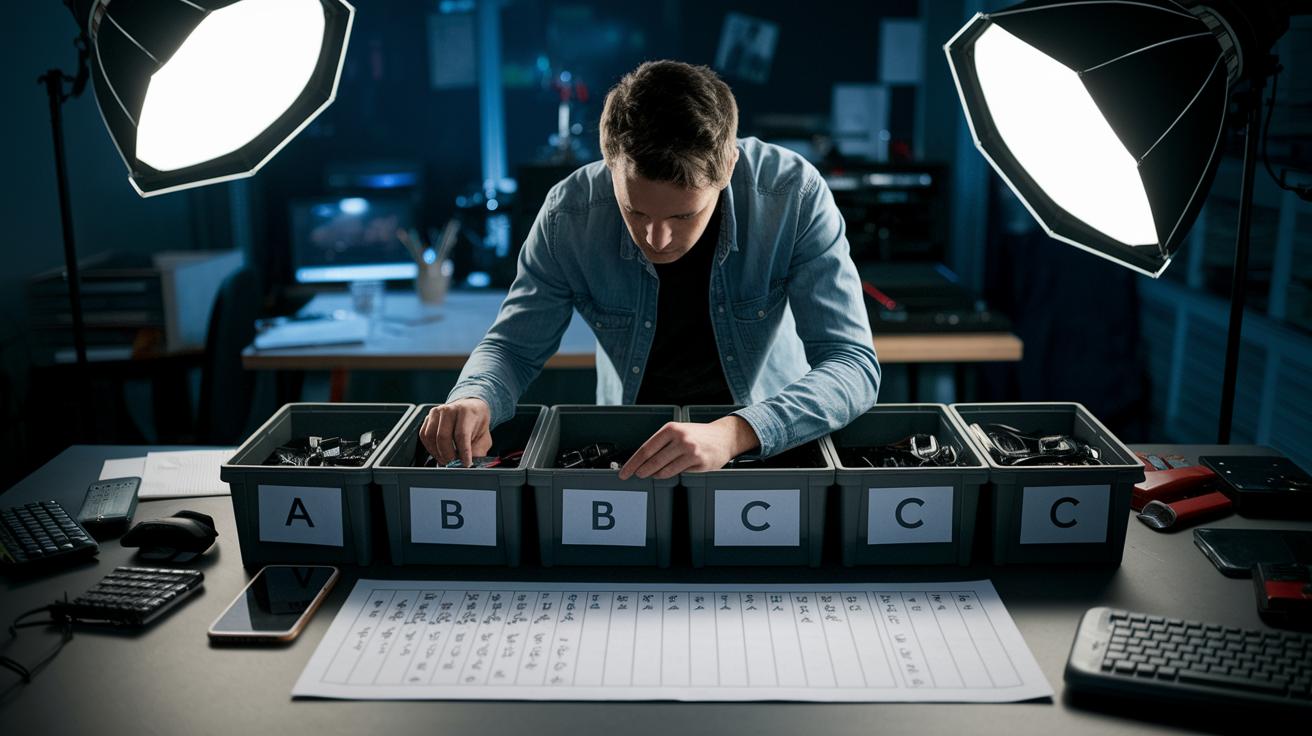
Start your edit by pulling together all your raw clips into an assembly cut. Think of it like gathering puzzle pieces before you see the full picture. Label each clip and sort them into bins, for example, put street scenes in Bin A, dialogue shots in Bin B, and music overlays in Bin C. This early organization really sets you up for success.
Next, work on your rough cut. Try different sequences to find the one that best tells your story. Cut out any extra footage and hold onto the parts that keep the narrative moving. And here's a neat tip: since more than 70% of trailer views might come from smartphones, make sure your transitions and on-screen text are easy to follow on small screens.
After you nail down the rough cut, move on to the fine cut. This is where you smooth out transitions, fix any jarring audio spots, and ensure the visuals keep your audience hooked. It’s a bit like tuning a musical instrument, if a scene feels too slow, try speeding it up just a bit. For instance, if a tense dialogue scene feels off, speeding up a brief moment can match the rising heartbeat of the moment.
Finally, polish your project with the final cut. Sync your audio perfectly, add any last-minute on-screen titles, and double-check that everything looks great on mobile screens. As you review the final version, run through each scene to ensure the narrative flows smoothly and teases your film’s secrets without giving too much away.
Remember these best practices:
- Label and organize footage early.
- Experiment with different sequences for a natural flow.
- Optimize for smartphone viewing with clear on-screen text.
- Refine transitions and sync audio in the final stages.
Visual Effects and Color Grading Techniques for Movie Trailers
Mixing cool visual effects with smart color grading can really make your trailer pop. One fun trick is the orange and teal look, which uses warm and cool shades to boost the mood and hint at the genre. Imagine starting with a sun-soaked city scene that slowly shifts into cooler hues as tension builds. This small change not only makes your trailer eye-catching but also gently steers your viewers' emotions.
Try adding basic motion graphics to brighten up your title sequences and logo reveals. Quick and slick graphics can introduce characters or set the stage for a dramatic plot. Effects like speed ramps and glitch cuts create a smooth flow that links each scene together. Picture an action scene that speeds up with a smooth ramp just before a major twist – it gives your trailer a fresh, modern vibe. Experimenting with these techniques can add a dynamic edge that keeps audiences totally hooked.
Sound Design and Voiceover Integration in Movie Trailers
Sound design is a key part of crafting a movie trailer that grabs your attention. Start by adding ambient sounds, like a gentle breeze, a quiet city hum, or a deep, pulsing tone, that set the right vibe for each scene. Throw in real-world sounds like footsteps on gravel or the clink of metal to make the visuals feel real and close to home.
Next, line up your voice-over clips perfectly with the visuals. Picture a moment when the tension builds, and the narrator’s calm, steady voice cuts through all the noise, almost like saying, “In a place where every second counts.” It's that blend of words and sound that guides you, making you feel each twist as the images play out.
Finally, nail the music selection. Go for tracks that match the trailer’s pace and ups and downs, maybe a score that builds steadily with the action. Every sound effect, voice cue, and musical note should work together to pull you into the story and leave you eagerly awaiting more.
Essential Software and DIY Tools for Movie Trailer Production
When it comes to putting together movie trailers, the right editing tools make all the difference. Top-notch software like Premiere Pro, Avid Media Composer, and DaVinci Resolve help you pull off slick cuts and realistic color grading. They offer cool features that let you add smooth transitions to hold your audience's attention. For instance, you might describe a scene with, "The frame bursts with intense hues, echoing the film’s dramatic spirit," to really bring your vision to life.
There are also free digital tools like CapCut and Canva that are perfect for student projects or fast edits. These mobile-friendly and web-based apps let you play around with stylish text, overlays, and basic transitions. Quick tip: always check your draft on a mobile device to make sure your text stays clear and your transitions feel just right.
New AI preview software is also changing how things are done. They can break down your script, come up with shot ideas, and even help plan visual effects, giving you more time for creative tweaks. Just imagine an AI tool that arranges your rough cut in minutes while you enjoy adding those personal touches!
And don’t forget the basics. Keeping your files organized by labeling clips, syncing sound, and testing your project on different screens makes a big difference when finalizing your trailer's look.
| Software | Type | Feature |
|---|---|---|
| Premiere Pro | Desktop | Advanced editing & color grading |
| Avid Media Composer | Desktop | Robust project management |
| DaVinci Resolve | Desktop | Professional color correction |
| CapCut | Mobile/Web | User-friendly interface |
| Canva | Web/Mobile | Template-based quick edits |
Final Words
In the action, we broke down the entire process of trailer creation. We explored crafting engaging scripts and storyboards, picking the best footage, and arranging each clip with care. Our guide walked through editing tricks, cool visual adjustments, and sound design that brings trailers to life. Plus, we highlighted top software and DIY tools to boost your project. Now you really know how to make movie trailers that pack a punch and leave viewers eager for more. Keep that creative spark glowing.
FAQ
How to make movie trailers for free
The process of making movie trailers for free involves using free editing software and mobile apps like Canva or CapCut, gathering your raw clips, and following a clear DIY framework to assemble a dynamic preview.
How to make a movie trailer for school project
The process of creating a movie trailer for a school project uses free tools like Canva or CapCut, along with simple editing steps that include selecting key scenes, writing a short script, and piecing together a concise teaser.
How to make a trailer for a short film
The approach to making a trailer for a short film focuses on choosing standout scenes that capture mood and pacing, using a clear editing workflow to craft a brief version that highlights the film’s overall tone.
How to make a movie trailer on Canva
The method for building a movie trailer on Canva involves using available templates, uploading your footage, and customizing text overlays and transitions to create a visually engaging preview that fits your film’s style.
How to make a movie trailer on CapCut
The process to create a movie trailer on CapCut takes advantage of its mobile-friendly features, offering easy clip sequencing, sound adjustments, and text overlay tools that let you quickly piece together an attractive trailer.
How to make a movie trailer on your phone
The strategy for making a movie trailer on your phone uses mobile editing apps like CapCut or Canva, where you can trim clips, adjust orientations, and add on-screen text to build a trailer suited for smartphone viewing.
Easy movie trailers to recreate
The idea behind recreating easy movie trailers is to choose simple, popular editing templates and straightforward storytelling techniques that involve basic clip selection and sequencing, making the process both fun and efficient.
How to make a movie trailer for kids
The strategy for making a movie trailer for kids involves using bright visuals, fun music, and clear narration. Focus on exciting, kid-friendly scenes to capture young viewers’ attention with simple editing techniques.
How much does it cost to make a movie trailer?
The process of budgeting for a movie trailer varies widely, as you can use free DIY tools or invest in professional software and licensing. Costs depend on your project’s scale and the quality of resources you choose.
Can ChatGPT create movie trailers?
The potential for ChatGPT in creating movie trailers lies in helping generate creative scripts and story ideas, though actual video production and editing require dedicated software designed for visual media.
What app should I use to make a movie trailer?
The choice of app for making a movie trailer depends on your needs; mobile options like CapCut and Canva offer ease of use, while professional software like Premiere Pro delivers advanced editing capabilities.
Can I use AI to make a movie trailer?
The idea of using AI to create a movie trailer centers around automated script suggestions and visual effects planning, which can assist in assembling a trailer, while final editing still relies on traditional video editing tools.